
Set up translation
Experience Workspace comes with a Translate app that uses Google Translate out-of-the-box, which you can use to localize pages. The defaults handle the most common use cases. However the translation service is flexible and allows a great deal of configuration if necessary. This document shows how to set your own configuration options.
Before you start translating content, make sure you have considered your localization strategy.
Create a translation configuration
Configuration files are kept in a hidden (dot) directory. You will need to create a new file for your site's translation configuration.
-
Navigate to your site in the content browser. In this example, we are examining the site
da-harvey-dent.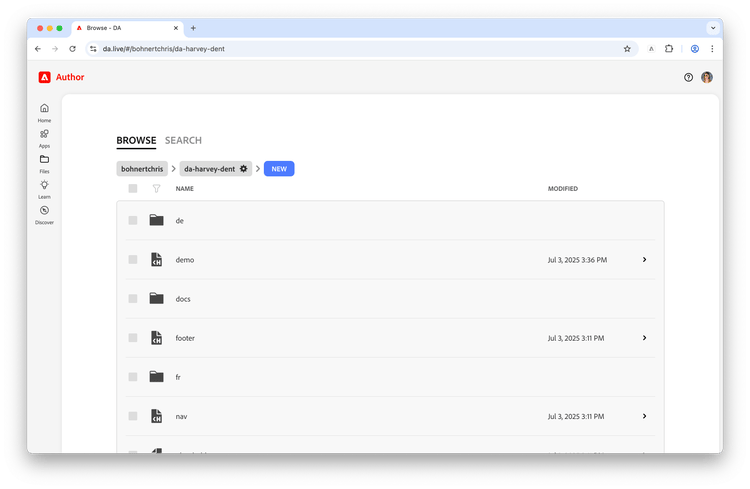
- Navigate to the hidden
.dadirectory for your site by appending it to the URL in your browser. For example we are currently athttps://da.live/#/bohnertchris/da-harvey-dentand would then navigate tohttps://da.live/#/bohnertchris/da-harvey-dent/.da.- The site has previously been translated, visible by the existing
translationfolder.
- The site has previously been translated, visible by the existing
-
In the
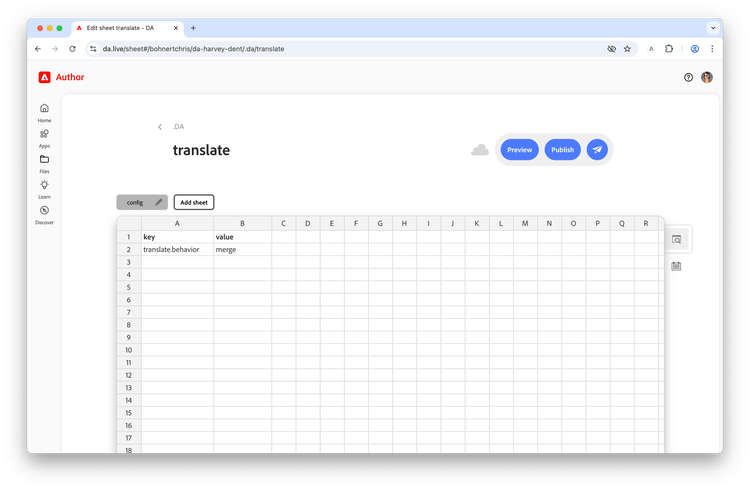
.dadirectory, create a new sheet by clicking New and then Sheet and then enteringtranslateas the name and click Create.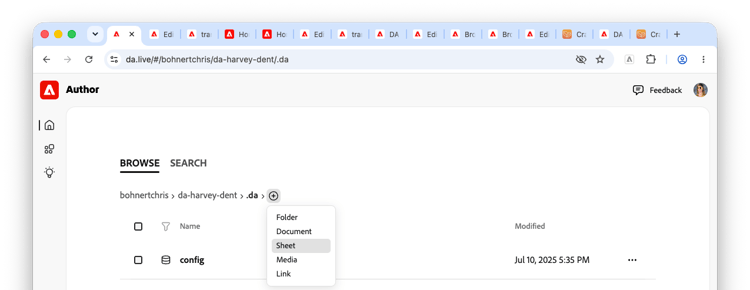
-
Click the edit icon of the default tab to change its name from
datatoconfig. Click the checkmark to save the change.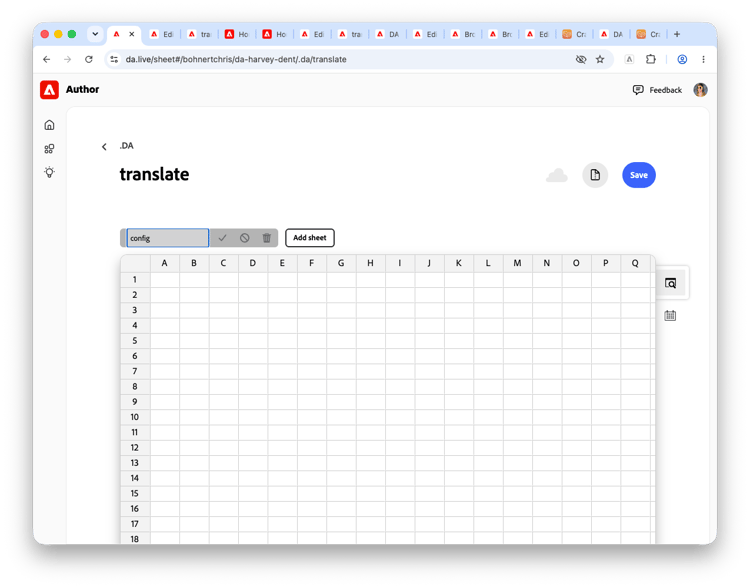
- On the newly-renamed
configtab, you can enter the configuration parameters and their values as key-value pairs. Start by enteringkeyin the first column in the first row andvaluein the second column of the first row. -
Now you can add the configuration parameters you wish to define. In this case, we will change the
translate.conflict.behaviortomerge.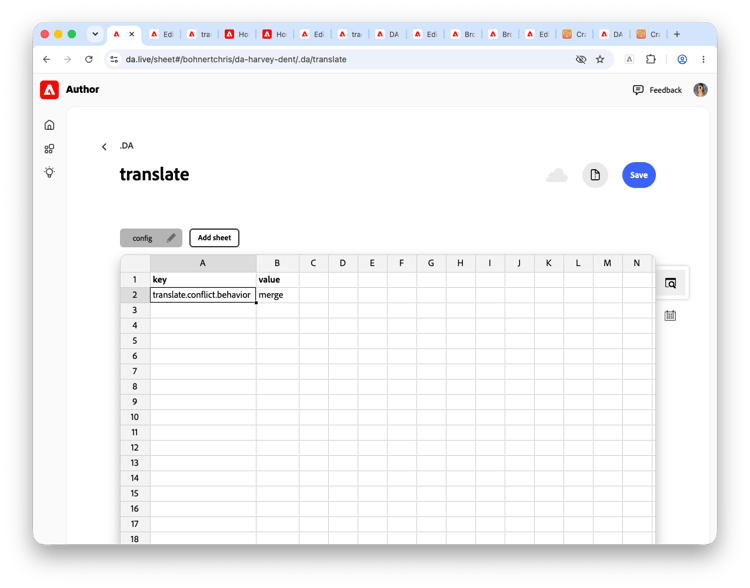
-
Click Save and thus activate the configuration changes you made.
- Grab the URL of some pages you would like to translate and return to the Translate app.
- Create a new project and proceed to the Confirm options tab. Note that the default has been changed.
Translation Options
You can find a complete list of translation configuration options in the document Translation config options.