
Developer Plugin
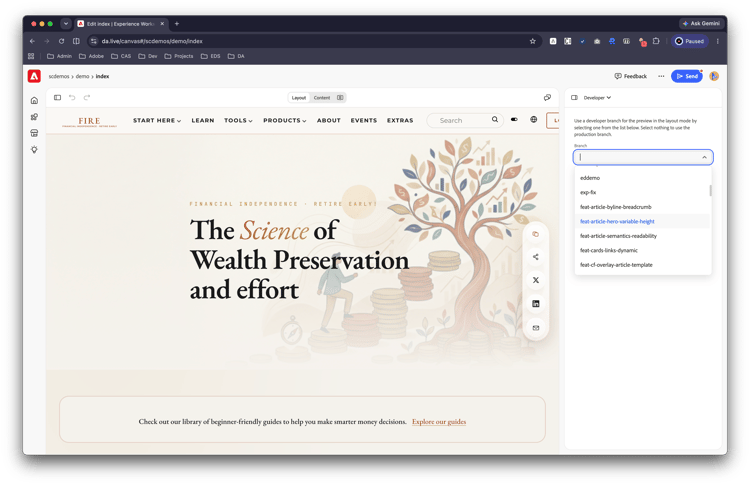
Experience Workspace, by default will load code from the main branch of your project. While every branch becomes a separate environment for testing features on .aem.page — it is often useful to see how a block or content model would look directly in the authoring environment to iterate quickly and see it in action in layout mode without merging the branch code to main. The developer plugin allows you to do that.
Configuring the plugin
In your site's library sheet, configure the developer plugin like so:
| title | path |
Developer |
https://main--aem-apps--adobe-rnd.aem.page/tools/plugins/developer/developer.html |
Using the plugin
Once configured, the plugin becomes available in the right rail. You can now load the code from any branch on your codebase. You can also manually insert the ?ref=<branch> query parameter to the URL.
For more useful plugins and apps for Experience Workspace, check out Marketplace.