Developing with AI Tools
AI coding agents such as Claude Code, Cursor, Codex, Gemini, GitHub Copilot, or Zed and the models they employ generally have good working knowledge of the core technologies that power AEM. As we use semantic HTML, Vanilla JavaScript, and framework-less CSS, we benefit from the largest possible training set.
However, agents start every session from scratch. They don't know your project's conventions, block patterns, and workflows. Without guidance, they'll make reasonable guesses that miss the mark such as wrong DOM structures, skipped verification steps, and content models that don't follow established patterns.
This guide covers ways you can enhance that experience to get the most out of these tools and make agentic development with AEM as productive as possible.
Setting Up Your Project
Establishing Context
The AEM Boilerplate ships with an AGENTS.md that covers project structure, setup commands, coding conventions, and block development patterns. If your project is based on a recent version of the boilerplate, you already have one. If not, use it as a starting point. In either case, don’t be shy about adjusting it to fit your specific projects’ conventions and patterns. Note that Claude Code uses CLAUDE.md for the same purpose, so you may want both for maximum compatibility.
We publish an llms.txt file which provides an overview of AEM and links to key documentation in a format optimized for AI consumption. Most agents don't refer to it proactively, but mentioning this file in a rules file or your prompt allows the agent to quickly include key documentation and APIs in its context to produce better results.
Helping the Agents Search
Modern coding agents have access to web search, but they will often mix up the Java/JCR/OSGi-based technology stack for AEM Sites as a Cloud Service with the lightweight HTML/CSS/JavaScript stack of Edge Delivery Services in Adobe Experience Manager Sites as a Cloud Service when you ask about AEM. When asking about Edge Delivery Services, you often get information about Cloudflare's, Akamai's or Fastly's Edge Compute and CDN infrastructure, and searching for EDS will bring up medical information.
The best way to prevent that is to specify "search the www.aem.live website". Many tools also allow you to index custom documentation, in which case you should add https://www.aem.live/docs/.
Without Context
> Help me find information about EDS.

⏺ I'll help you find information about EDS. Let me search for relevant
  information.

⏺ Web Search("EDS Ehlers-Danlos Syndrome medical condition information")

╭─────────────────────────────────────────────────────────────────────────────────╮
│ Tool use                                                                        │
│                                                                                 │
│   Web Search("EDS Ehlers-Danlos Syndrome medical condition information")        │
│   Claude wants to search the web for: EDS Ehlers-Danlos Syndrome medical        │
│   condition information                                                         │
│                                                                                 │
│ Do you want to proceed?                                                         │
│ ❯ 1. Yes                                                                        │
│  2. Yes, and don't ask again for Web Search commands in                         │
│  /private/tmp/new-project                                                       │
│   3. No, and tell Claude what to do differently (esc)                           │
│                                                                                 │
╰─────────────────────────────────────────────────────────────────────────────────╯
With Context
> Help me find information about Edge Delivery. Search www.aem.live

⏺ I'll help you search for information about Edge Delivery on
  http://www.aem.live.

⏺ Fetch(https://www.aem.live)
  ⎿  Fetching…

╭─────────────────────────────────────────────────────────────────────────────────╮
│ Fetch                                                                           │
│                                                                                 │
│   https://www.aem.live                                                          │
│   Claude wants to fetch content from www.aem.live                               │
│                                                                                 │
│ Do you want to allow Claude to fetch this content?                              │
│ ❯ 1. Yes                                                                        │
│   2. Yes, and don't ask again for www.aem.live                                  │
│   3. No, and tell Claude what to do differently (esc)                           │
│                                                                                 │
╰─────────────────────────────────────────────────────────────────────────────────╯
Giving Agents Skills
Skills are specialized, reusable workflows that help your AI coding agent perform complex, multi-step tasks more effectively. Think of them as mini-playbooks that bundle together instructions, reference materials, and scripts to handle specific scenarios.
Skills use progressive disclosure to load detailed instructions only when needed, preserving your agent's context window for what matters.
Skills follow an open standard supported by a large and growing number of agents.
The full catalog is at https://github.com/adobe/skills.
- create-site — start a brand-new site from scratch: GitHub repo from boilerplate, aem-code-sync, initial DA content (nav, footer, homepage), and live URL handoff
- content-driven-development — orchestrates the full development workflow for building or modifying blocks on an existing site
- page-import — imports or migrates pages from an existing website into an EDS site
- docs-search — searches aem.live documentation
- block-inventory — surveys blocks available in the project and the Block Collection
- block-collection-and-party — searches reference block implementations
Install all Edge Delivery Services skills:
  # GitHub CLI
  $ gh extension install ai-ecoverse/gh-upskill
  $ gh upskill adobe/skills --skills-path plugins/aem/edge-delivery-services --all

  # Claude Code
  /plugin marketplace add adobe/skills
  /plugin install aem-edge-delivery-services@adobe-skills

  # Codex
  $ codex plugin marketplace add adobe/skills
  # then in Codex CLI:
  /plugins   # → search "aem-edge-delivery-services" → Install plugin
Using Skills
Once added, skills are automatically usable. Just prompt as you normally would and your agent should apply the skills where appropriate. General prompt engineering guidance still applies, so you should, for example, mention a specific skill when you know you want the agent to use it.
Pro-tip: If you notice your agent going off-course, or not applying the skills correctly, you can ask the agent to update the skills to avoid repeating the same mistakes.
Sample prompts
- Build an embed block for instagram urls
- Update the CSS of the hero block to match this style (add screenshot)
Helping the Agents See
In many cases, your coding agent will make assumptions about what your site looks like without having the ability to actually verify this. You can help the agent in multiple ways:
- By taking screenshots of the page rendered on localhost:3000 and adding them to the chat
- By installing browser automation tools like playwright-cli or agent-browser that give agents direct control of a browser to navigate, interact with, and screenshot your site
- By installing specialized Model Context Protocol servers (see below)
Request Reviews from AI
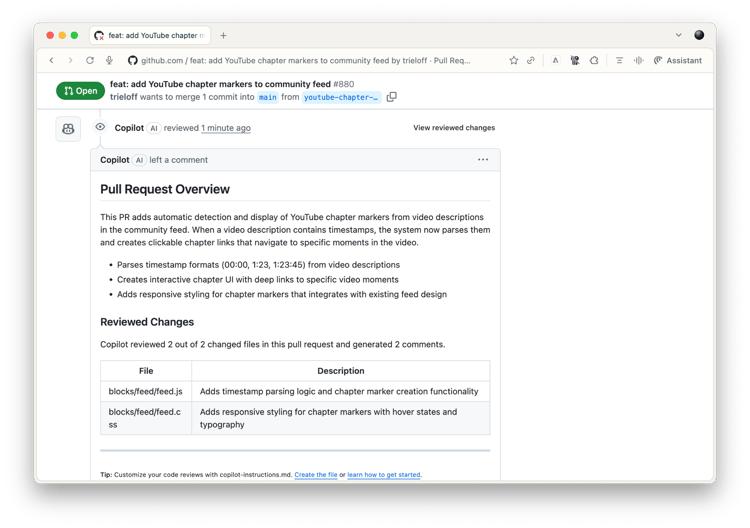
The AEM development flow is centered around GitHub and Pull Requests. This makes it an excellent match for AI code reviews that work both for humans and AI-generated pull requests (don't worry, AI code reviewers don't give other AIs a free LGTM-pass).
- GitHub Copilot Code Reviews do not require any setup
- Claude Code Pull Request Reviews are based on GitHub Actions
- OpenAI Codex Code Review offers pull request reviews through a dedicated GitHub app
Useful Tools for AI Agents
The best AI agents have received massive reinforcement learning on using a set of command line tools that can speed up their development workflow, but which you often don't have pre-installed on your system. Consider installing them, so that your AI agent has more capable tools at their disposal.
- ripgrep (
rg) - Fast text search across codebase jq- JSON processor and transformergh- GitHub CLIcurl- Command-line HTTP requests- ast-grep (
sg) - Syntax-aware code search and transformation httpie- Human-friendly HTTP clientfzf- Fuzzy finder for interactive file/command selectionfd- Fast and user-friendly alternative to findbat- Syntax-highlighted cat replacement with Git integration
Ask your AI agent if they are installed on your machine and tell them to install if not.
Model Context Protocol
The Model Context Protocol (MCP) provides extensibility for AI agents and almost all AI agents support it. You can try these MCP tools that work well with AEM. Remember that MCP tools will fill up the available context window, so you should disable tools that you do not use.
> /context
  ⎿
     ⛁ ⛁ ⛁ ⛁ ⛁ ⛁ ⛁ ⛀ ⛀ ⛀
     ⛶ ⛶ ⛶ ⛶ ⛶ ⛶ ⛶ ⛶ ⛶ ⛶   Context Usage
     ⛶ ⛶ ⛶ ⛶ ⛶ ⛶ ⛶ ⛶ ⛶ ⛶   claude-sonnet-4-20250514 • 17k/200k tokens (8%)
     ⛶ ⛶ ⛶ ⛶ ⛶ ⛶ ⛶ ⛶ ⛶ ⛶
     ⛶ ⛶ ⛶ ⛶ ⛶ ⛶ ⛶ ⛶ ⛶ ⛶   ⛁ System prompt: 3.0k tokens (1.5%)
     ⛶ ⛶ ⛶ ⛶ ⛶ ⛶ ⛶ ⛶ ⛶ ⛶   ⛁ System tools: 11.4k tokens (5.7%)
     ⛶ ⛶ ⛶ ⛶ ⛶ ⛶ ⛶ ⛶ ⛶ ⛶   ⛁ MCP tools: 1.3k tokens (0.7%)
     ⛶ ⛶ ⛶ ⛶ ⛶ ⛶ ⛶ ⛶ ⛶ ⛶   ⛁ Memory files: 705 tokens (0.4%)
     ⛶ ⛶ ⛶ ⛶ ⛶ ⛶ ⛶ ⛶ ⛶ ⛶   ⛁ Messages: 91 tokens (0.0%)
     ⛶ ⛶ ⛶ ⛶ ⛶ ⛶ ⛶ ⛶ ⛶ ⛶   ⛶ Free space: 183.4k (91.7%)

     MCP tools · /mcp
     └ mcp__context7__resolve-library-id (context7): 691 tokens
     └ mcp__context7__get-library-docs (context7): 652 tokens

     Memory files · /memory
     └ User (/Users/trieloff/.claude/CLAUDE.md): 705 tokens
Context7
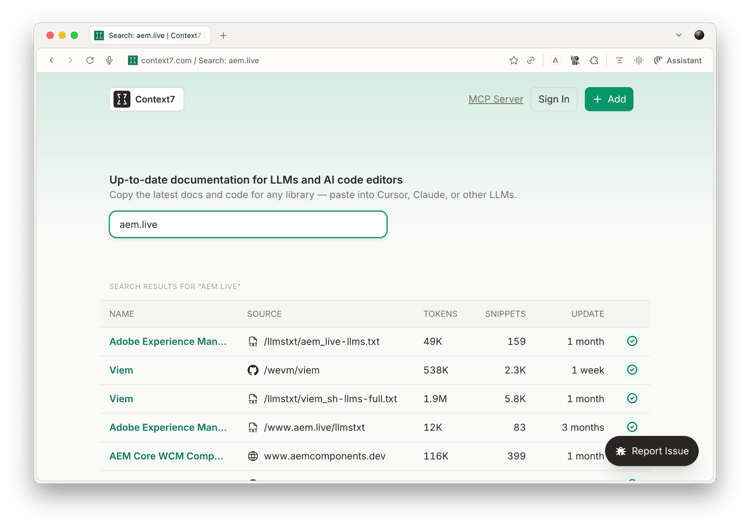
The Context7 MCP Server gives your agents access to hundreds of sites of indexed API documentation including for Adobe Experience Manager.
Helix MCP Server
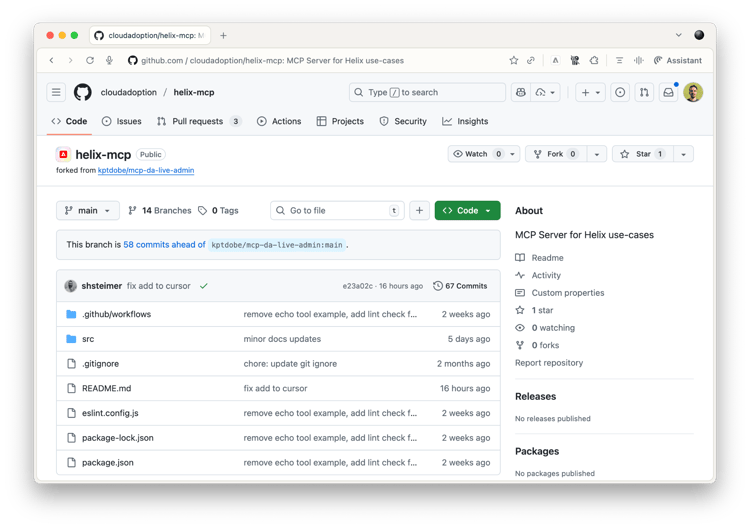
The (unofficial) Helix MCP Server provides tools and prompts to make your agentic development with AEM easier including docs search, block starters, and administrative tools. Please see the Readme for information on tools and usage.
DA MCP Server
The (unofficial) Document Authoring MCP Server provides tools and prompts to make your agentic content creation and management development with DA easier. Please see the docs for information on tools and usage.
Browser MCP
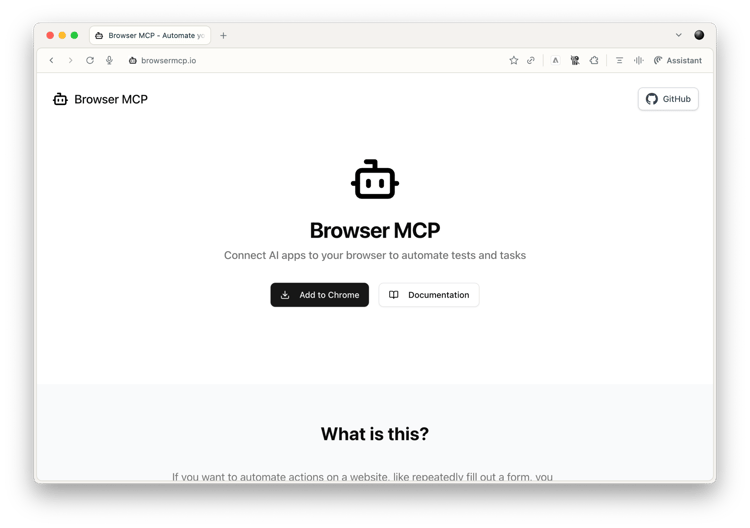
Browser MCP is a Chrome extension, allowing your AI coding agent to remote-control your web browser and take screenshots.
AEM Experience Modernization Agent
If you want to migrate your site the fastest way Adobe offers, use the AEM Modernization Agent. The Experience Modernization agent combines site creation and migration skills for initial website onboarding and block development capabilities for continuous experience development (style updates, template refinements, landing page creation). In addition, it offers the Experience Modernization Console as a hosted AI-assisted development environment available to you directly.
Questions or Want to Share?
AI tools for AEM development are evolving fast. Join our community to get help with specific challenges and questions, share effective prompts, tools, and workflows, and connect with other developers using AI and AEM. For a detailed walkthrough of coding an AEM block with Windsurf, read Frank Townsend's blog post over at Arbory Digital.