
Live Preview
If you have not yet migrated all projects to Experience Workspace, the live preview allows you to see your changes in real-time as you edit in the content layout. The end effect is similar to the split view of the Experience Workspace editor, allowing a side-by-side comparison of content and layout.
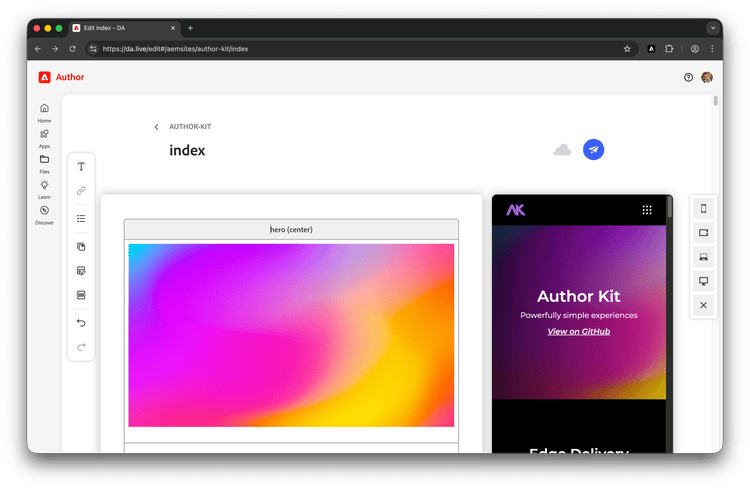
Background
Experience Workspace is an evolution of Document Authoring (DA) and the coexistence of two editors is a result of this.
- If Experience Workspace is enabled for your org, by default all new projects are enabled to use the Experience Workspace editor. This is the editor with
#canvasin the URL. - If you are working on an established project, it may still use the previous editor. This is the editor with
#editin the URL.
The editor of Experience Workspace provides the layout view, which offers the same features of the live preview. However the previous editor and its live preview continue to be supported for existing projects. Most existing projects have already been enabled to use the live preview. If it is not available, it can be enabled for your project.
Using live preview
When editing a page, click the Preview tab at the top-right of the editable area, above theVersions tab.
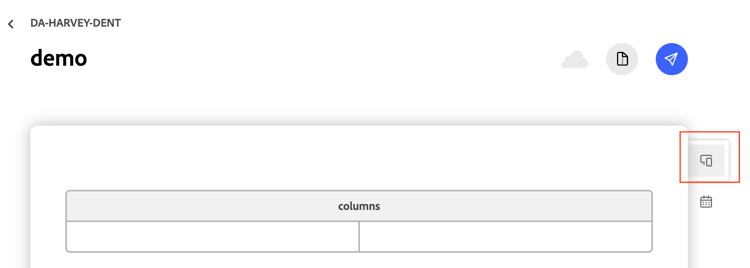
Your content is then displayed in a preview panel. By default the view is that of portrait mobile. Use the buttons on the expanded tab to select from landscape mobile, laptop, and desktop views or to close the preview entirely.
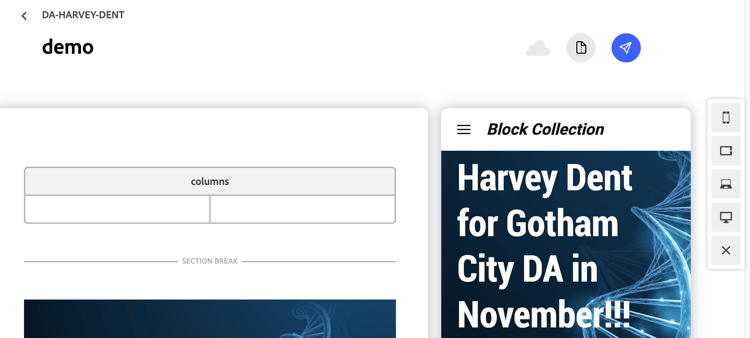
As you edit your content, the preview is updated immediately to reflect the state of your content.
In some limited scenarios (~2%), live preview may not be identical to how your page will look when published. This can be a result of project specific nuances. When in doubt, use the Publish button to preview the page.
Requirements
- A small script must be placed at the bottom of your
scripts.jsfile. Please ask your developers to add this script. As a convenience, we have added it below. - Any CORs or off-origin requests need to have
https://main--{SITE}--{ORG}.preview.da.liveas an allowed origin.
Enable live preview
If live preview is not yet enabled for your editor:
- Place the following self-invoking (IIFE) script at the bottom of your
scripts.jsfile. - Make sure any CORs or off-origin requests need to have
https://main--{SITE}--{ORG}.preview.da.liveas an allowed origin.
scripts.js (JavaScript)
(async function loadDa() {
  if (!new URL(window.location.href).searchParams.get('dapreview')) return;
  import('https://da.live/scripts/dapreview.js').then(({ default: daPreview }) => daPreview(loadPage));
}());